See what’s blocking what in Trello
Jolly Dependencies is a Power-Up for Trello. Mark that one card blocks another, and see it on the card, on the card front and in a map of the whole board, so you always know what’s ready to start.
What it does
-
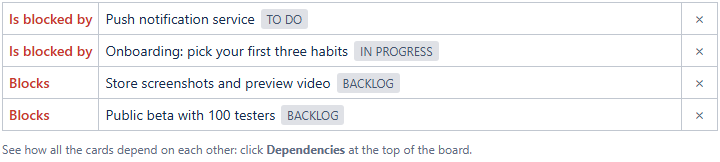
On the card
A Dependencies section lists what the card waits for and what waits for it. “Add a dependency” finds the other card by name or link. Cards can also be related, duplicates, or parent and child.
-
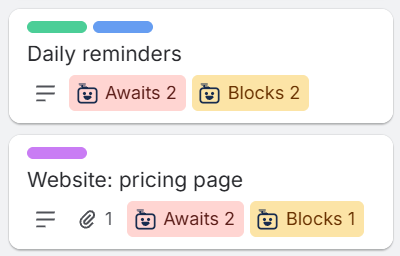
On the card front
Awaits 2 while a card waits for others, Blocks 3 while others wait for it. Both go away by themselves when the blockers are done.
-
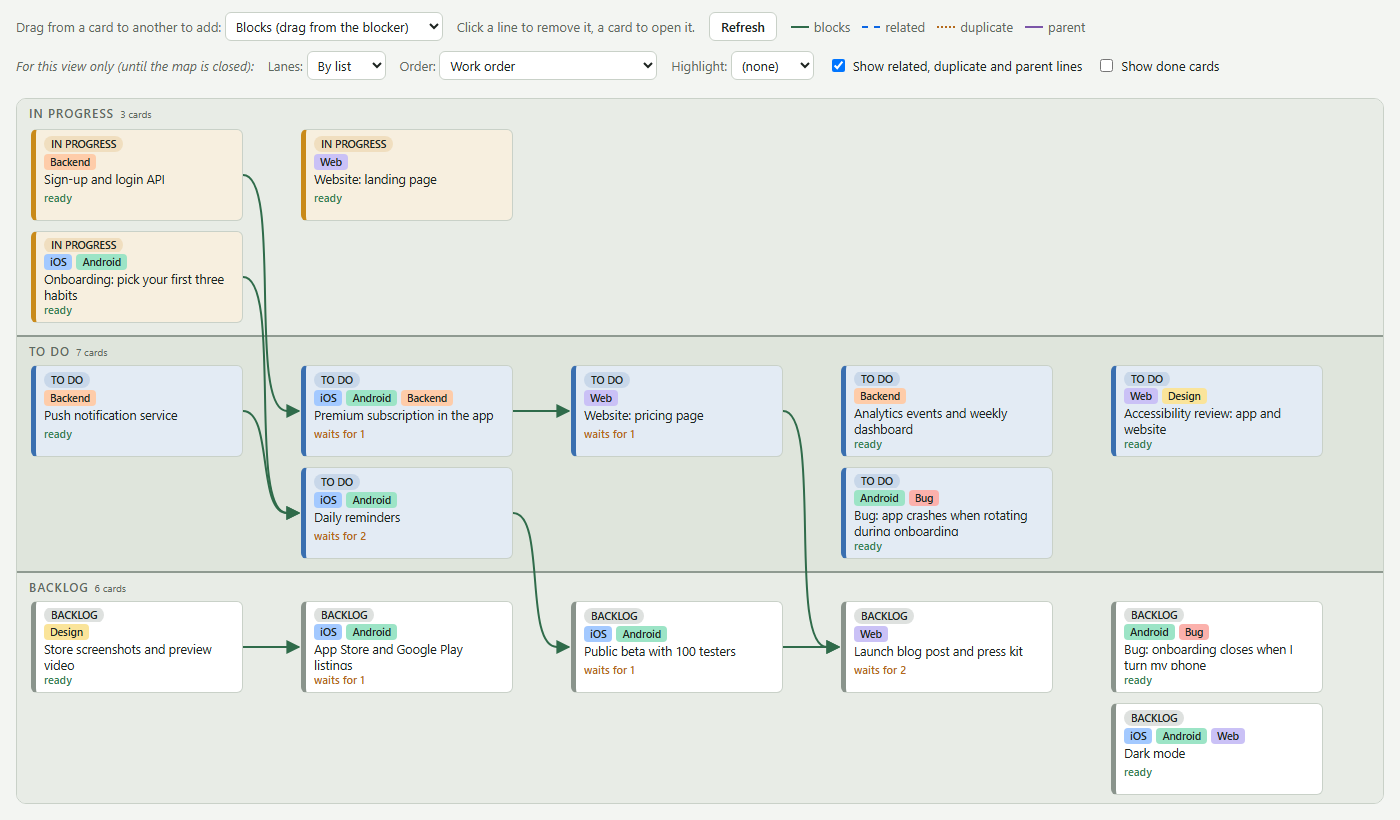
The dependency map
The whole board at a glance, in lanes by list or by label. Drag one card onto another to add a dependency; click a line to remove it. Work order puts blockers above what waits for them.
-
Let your AI add them
Claude, ChatGPT or another AI can plan the dependencies for you: it writes a short block into a card’s description, and the Power-Up turns it into dependencies.
-
Done means done
You choose which lists count as done, and whether a card marked complete does. Dependencies of done cards can be cleared by themselves, so the board stays tidy.
-
Nothing leaves Trello
Dependencies are kept in Trello, with the board. No account, no sign-in, no server of ours, and Trello’s own card links and attachments are never touched.
Add it to a board
- Open the board in Trello and choose Power-Ups from its menu.
- Search for Jolly Dependencies and click Add.
- Open a card and click Add a dependency, or click Dependencies at the top of the board for the map.
Questions? See Support. How your data is handled: Privacy. Provided free and as is: Terms of use.